


G-Code in CNC Machining: What It Is, How It Works, and Why It Matters
By ordering a prototype or a part to be machined by CNC, you are not purchasing a cutting operation, you are purchasing directed motion. It is a programmable move that is pushed by a very small and practical programming language known as G-code. G-code is simply the code that command or directs a CNC machine on where to move, how to move and the route to take.
In the case of CNC machining and tooling jobs at SunOn, the choices made during small programming can have an impact on the surface finish, tolerances, cycle time, and the safety of the part. This guide describes G-code in a manufacturing oriented and plain language- so you can explain yourself to your machining counterpart, and prevent project pitfalls.
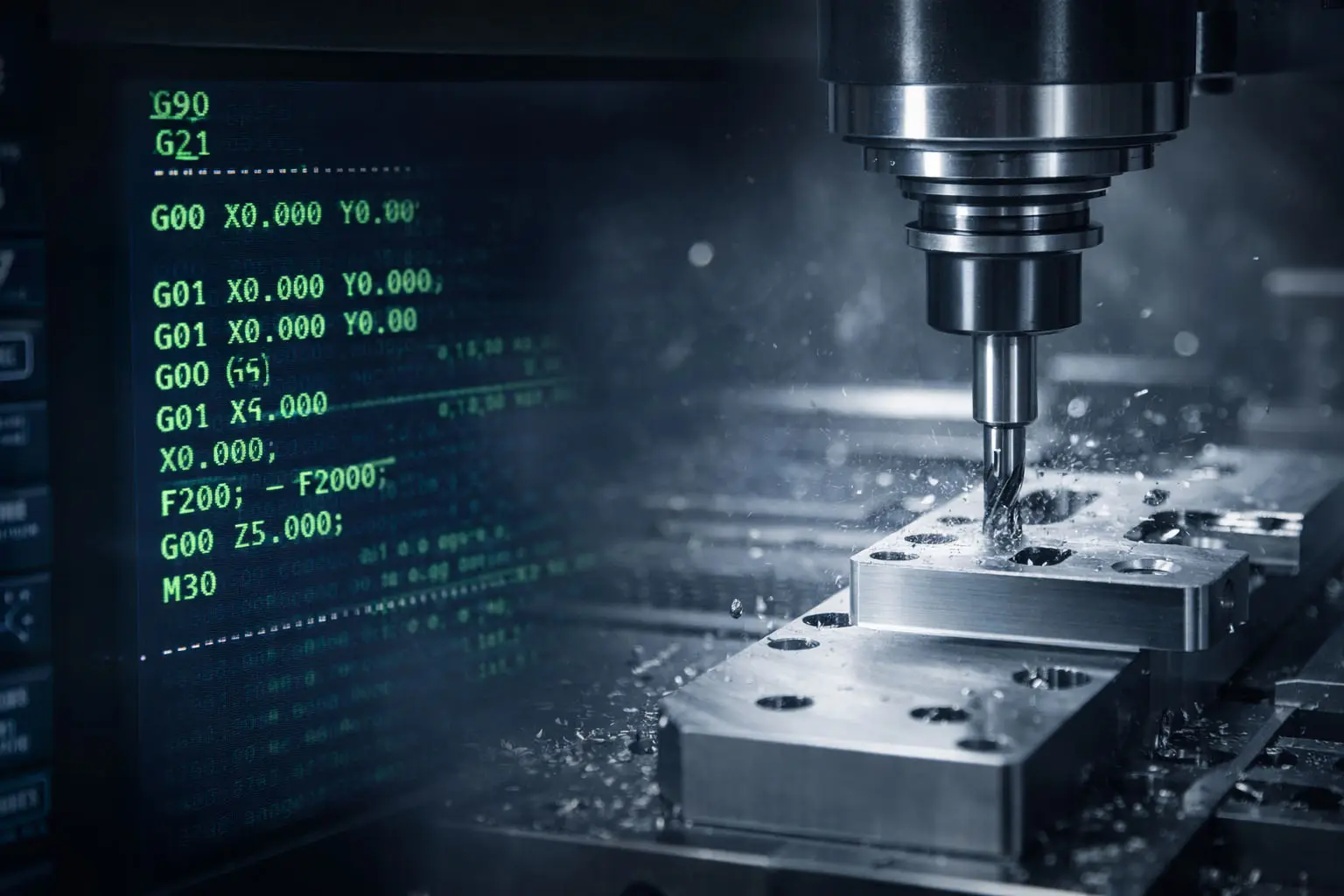
What Is G-Code?
G-code (Geometric code) is a machine programming language used in CNC machining (and also in 3D printing) to control tool movement in a coordinate system—usually X, Y, Z, plus optional rotational axes.
Think of it as a recipe:
-
Coordinates tell the tool where to go
-
Feed rate and spindle speed tell the tool how to go
-
Commands tell the controller what type of motion to perform (rapid move, straight cut, arc, drilling cycle, etc.)
G-code typically works alongside M-code (machine or miscellaneous code), which controls non-motion functions such as coolant, program stop, spindle on/off, and tool change behavior.
Why G-Code Is So Important in Manufacturing
CNC machines don’t “understand” CAD drawings directly. They rely on servo motors and controllers that need precise step-by-step instructions. G-code provides that communication layer between the part design intent and the machine’s mechanical behavior.
For manufacturers and buyers, the value shows up in:
-
Repeatability: consistent toolpaths produce consistent parts
-
Efficiency: optimized moves reduce cycle time and cost
-
Quality: correct feeds/speeds and offsets improve finish and accuracy
-
Risk reduction: safe positioning reduces collision chances
How G-Code Gets Created (CAD → CAM → CNC)
Most projects don’t start with someone typing G-code manually. The typical workflow looks like this:
-
CAD model is created (the part geometry)
-
The model is imported into CAM software
-
CAM generates toolpaths (strategies for how the cutter will remove material)
-
Toolpaths are converted into G-code
-
A post-processor formats the code for a specific CNC controller (Fanuc, Haas, Siemens, etc.)
-
The G-code is loaded into the CNC machine for execution
Even when G-code is CAM-generated, experienced machinists often review and adjust sections to improve stability, reduce air-cutting, protect fragile features, or match real-world tooling constraints.
What a Line of G-Code Looks Like
A G-code program is made of blocks (lines). Each line can contain multiple instructions, and the controller reads them in order.
You’ll see letters paired with numbers, such as:
-
G = motion mode (rapid, linear cut, arc, etc.)
-
X Y Z = position coordinates
-
F = feed rate
-
S = spindle speed
-
T = tool selection
-
A B C = rotational axes (on multi-axis machines)
Example (simplified):
G00 X0 Y0 ; rapid move to start point
G01 Z-2 F200 ; feed down to cutting depth
G01 X50 ; cut in a straight line
G00 Z5 ; retract
M30 ; program end
Notes:
-
G90 means the program uses absolute coordinates (positions referenced from a fixed origin).
-
Comments can be added (some controllers use
;or parentheses depending on format).
Common Types of G-Code Commands (What They Control)
G-code covers much more than “move here.” In most CNC work, the commands fall into a few practical categories.
1) Positioning and Motion
These define how the tool travels:
-
G00 Rapid positioning (non-cutting move)
-
G01 Linear interpolation (straight cutting move)
-
G02 / G03 Clockwise / counterclockwise arc moves
-
G90 Absolute coordinates
2) Speed and Feed Behavior
These affect cutting conditions:
-
Feed mode and units selection (often via controller-specific codes)
-
Constant surface speed vs constant spindle speed modes (common on turning)
3) Canned Cycles (Machining Operations)
These compress repetitive operations into a single command:
-
G81 Simple drilling cycle
-
G82 Drilling with dwell
-
G83 Peck drilling (deep holes)
-
G84 Tapping cycle
4) Offsets and Zeros
Offsets help match the program to the real world:
-
Tool length and radius compensation ranges
-
Work coordinate systems / zero offsets (varies by controller family)
Modal vs Non-Modal G-Codes (A Practical Difference)
Some commands “stay active” until changed; others apply only once.
-
Modal: remains in effect until another code replaces it
-
Non-modal: works only for the current line/block
This matters during troubleshooting: if the machine “keeps doing” a motion mode you didn’t expect, it’s often because a modal command remains active.
Which Machines Use G-Code?
G-code is widely used across manufacturing equipment, including:
-
CNC milling
-
CNC drilling
-
CNC grinding
-
Many other CNC-controlled processes
G-code is also used by 3D printers to guide nozzle movement and process parameters.
Who Should Understand G-Code?
You don’t need to be a programmer to benefit from basic G-code literacy.
-
Machinists/operators use it to verify tool motion, make safe edits, and troubleshoot issues.
-
Engineers/product teams use it to understand manufacturability limits and communicate clearly about tolerances, features, and setups.
-
Buyers/sourcing teams can reduce back-and-forth by knowing what drives cycle time (tool changes, deep drilling cycles, excessive repositioning, etc.).
Safety and Quality Checks That Matter in G-Code
A G-code file can be “technically valid” and still be unsafe or inefficient if key safeguards are missing. Common best practices include:
-
Confirm machine travel limits and keep rapid moves away from fixtures.
-
Verify tool length offsets and work offsets to prevent crashes.
-
Use proper retract heights and safe approach paths near thin walls.
-
Review drilling/tapping cycles for correct depths and dwell times (especially in production).
At SunOn, we treat G-code review as part of protecting three things: your part, our tooling, and your delivery timeline.
G-Code vs M-Code: The Simple Difference
-
G-code: geometry and motion (toolpath, positioning, feed moves, arcs)
-
M-code: machine functions not directly related to motion (coolant, stops, program end, etc.)
Both are used together to form a complete CNC program.
Final Takeaway
CNC precision is run by G-code. Although you might be using CAM to create everything automatically, it is still a good idea to learn how the G-code works so that you can be able to estimate the manufacturability, predict the cost drivers, and work more harmoniously with your machining partner.
