


M-Code in CNC Machining: What It Is, How It Works, and Common Commands
In CNC machining, G-code tells the machine how to move—the toolpath, coordinates, feeds, and arcs. M-code tells the machine how to run—spindle start/stop, coolant control, tool changes, program pauses, and other auxiliary actions that support cutting. Together, they form the practical “language” that turns a CAM toolpath into a real, repeatable machining cycle.
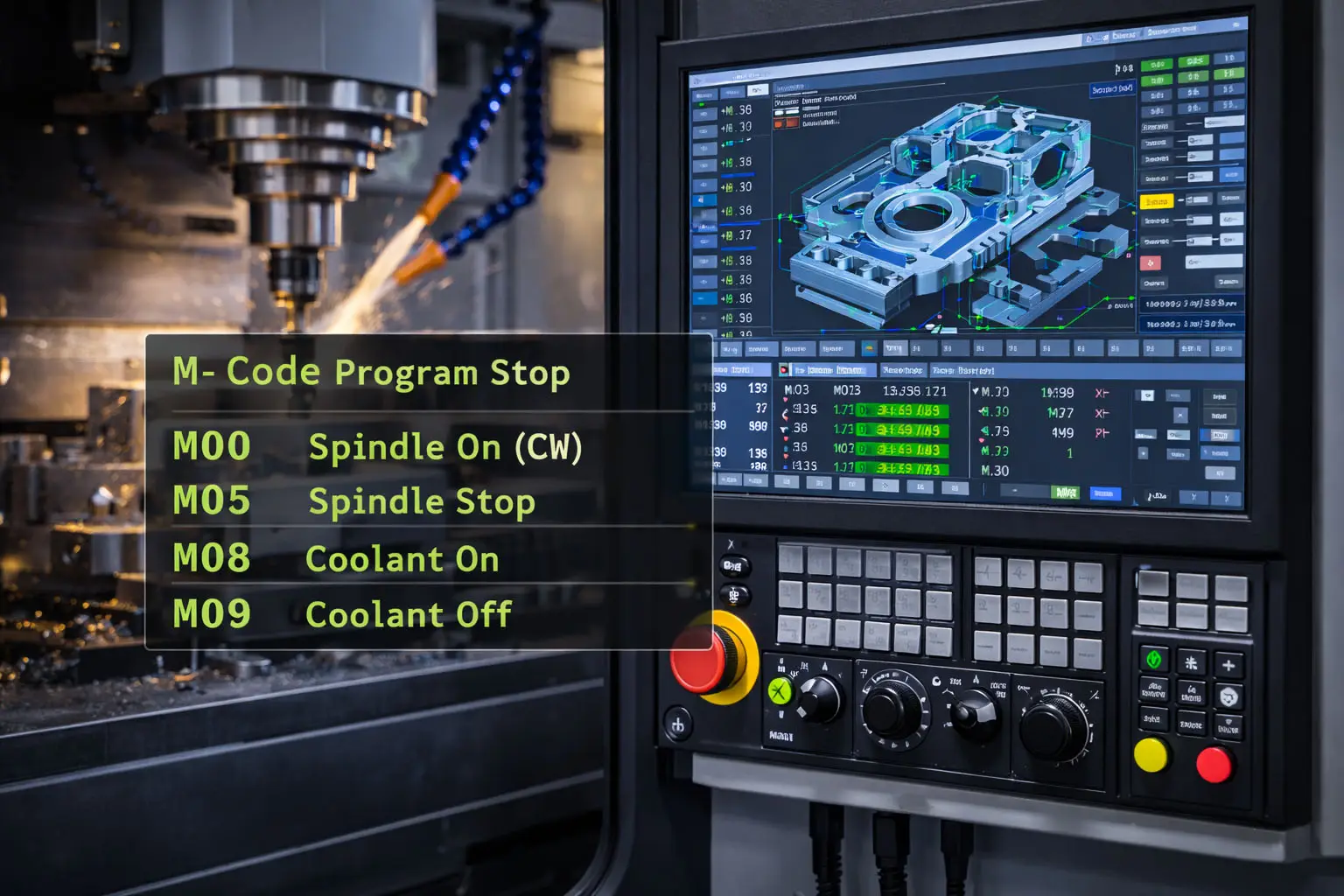
At SunOn, we treat M-code as a production control layer: it doesn’t shape the geometry directly, but it strongly affects cycle time, stability, safety, finish consistency, and overall reliability—especially when a part requires multiple tools, setups, or coolant strategies.
What Is M-Code?
M-code (often called Machine code or Miscellaneous code) is a set of CNC commands used to control machine functions not directly related to tool movement—for example, turning the spindle on/off, enabling coolant, pausing the program, or ending the job.
In a typical CNC program:
-
G-codes manage motion behavior (rapid move, linear cut, arc, drilling cycle, etc.).
-
M-codes manage machine behavior (spindle, coolant, stops, tool change routines, program end).
Why M-Code Matters in Real Production
Even if your CAM software generates code automatically, M-codes are still critical because they control items that directly impact part quality and shop efficiency:
-
Thermal control and surface finish: turning coolant on/off at the right time reduces heat and helps prevent poor finish or tool wear.
-
Safety and collision avoidance: controlled pauses, safe retracts, and correct tool-change sequences reduce crash risk.
-
Stable automation: consistent tool-change and spindle logic helps repeatability across batches.
-
Cost and lead time: unnecessary stops and inefficient spindle/coolant timing can add significant cycle time across volume runs.
3ERP describes M-code as the set of commands that handle these non-cutting functions (coolant flow, tool behavior, and program control).
M-Code vs G-Code
A simple way to remember the split:
-
G = Geometry / motion
-
M = Machine functions
3ERP’s CNC programming guidance emphasizes that G-codes control movement while M-codes control functional operations like coolant flow or tool-change behavior.
In practice, they’re tightly linked: a safe cutting move often requires a correct M-code sequence before it (spindle on, coolant on, correct tool loaded), and a controlled end requires M-codes after it (coolant off, spindle stop, program end).
Common M-Codes You’ll See Often
Different CNC controllers can vary, but many shops regularly use a “core set” of M-codes.
Program stops and endings
-
M00: Program stop (mandatory pause)
-
M01: Optional stop (only if optional stop is enabled)
-
M02 / M30: Program end (M30 often ends and rewinds)
Spindle control
-
M03: Spindle on (clockwise)
-
M05: Spindle stop
Coolant control
-
M08: Coolant on
-
M09: Coolant off
These examples are commonly cited in CNC references and in 3ERP’s CNC overviews, but the exact meaning can differ by machine/control family.
One Important Reality: M-Codes Are Not Always Universal
Unlike “pure” concepts like X/Y/Z positioning, M-code definitions can vary by:
-
CNC controller brand (Fanuc-style, Haas-style, Siemens, Heidenhain, etc.)
-
Machine type (mill vs lathe vs mill-turn)
-
Shop-specific macros and options installed on the machine
3ERP notes that code semantics can vary and that even formatting like M01 vs M1 may differ across machines.
What this means for buyers: if you’re sending a program between shops (or between machines), it’s normal to need post-processor changes and a quick verification pass.
How CAM Software Uses M-Codes
Most engineers don’t hand-write full M-code programs anymore. Instead, CAM software:
-
Generates toolpaths (geometry and motion)
-
Uses a post-processor to format output for a target controller
-
Inserts required M-codes for tool changes, spindle/coolant logic, and program structure
3ERP’s CNC programming discussions emphasize that CAM output relies on G and M codes together to provide both movement and machine operation instructions.
Best Practices for Using M-Code Safely
If you’re reviewing CNC output (even as a non-programmer), these are practical checks that prevent common issues:
1) Confirm spindle and coolant logic around cutting moves
Look for:
-
spindle start before the first feed move
-
coolant start before heavy cutting (when required)
-
coolant off near the end, not mid-cut
2) Avoid unnecessary stops that inflate cycle time
Optional stops can help during proving, but they can slow production if left enabled without reason.
3) Use consistent “end-of-program housekeeping”
A clean ending often includes: coolant off → spindle stop → retract to safe position → program end.
4) Validate tool change and offsets behavior
Tool-change M-codes often trigger machine-specific macros. If something feels inconsistent between runs, the issue is often here, not in the geometry moves.
How SunOn Applies M-Code Thinking to Production Runs
When a job moves from prototype to stable volume, we pay attention to M-code-related behaviors that affect consistency:
-
Coolant strategy: different operations may need different coolant timing to manage heat and chip evacuation
-
Tool change efficiency: minimizing unnecessary tool swaps improves cycle time without sacrificing quality
-
Process stability: controlled pauses only where they reduce risk (first-article checks, critical transitions)
-
Repeatable program structure: consistent start/end routines make troubleshooting faster and reduce variability
