


SFM in Machining: What It Means, How to Calculate It, and How to Use It
If you’ve ever compared CNC quotes or reviewed a machining process sheet, you’ve likely seen SFM listed next to RPM, feed rate, and depth of cut. SFM matters because it describes the true cutting speed at the tool edge, which drives heat, tool wear, and surface finish. In simple terms, Surface Feet per Minute (SFM) is the linear speed at which the cutting edge moves relative to the workpiece surface.
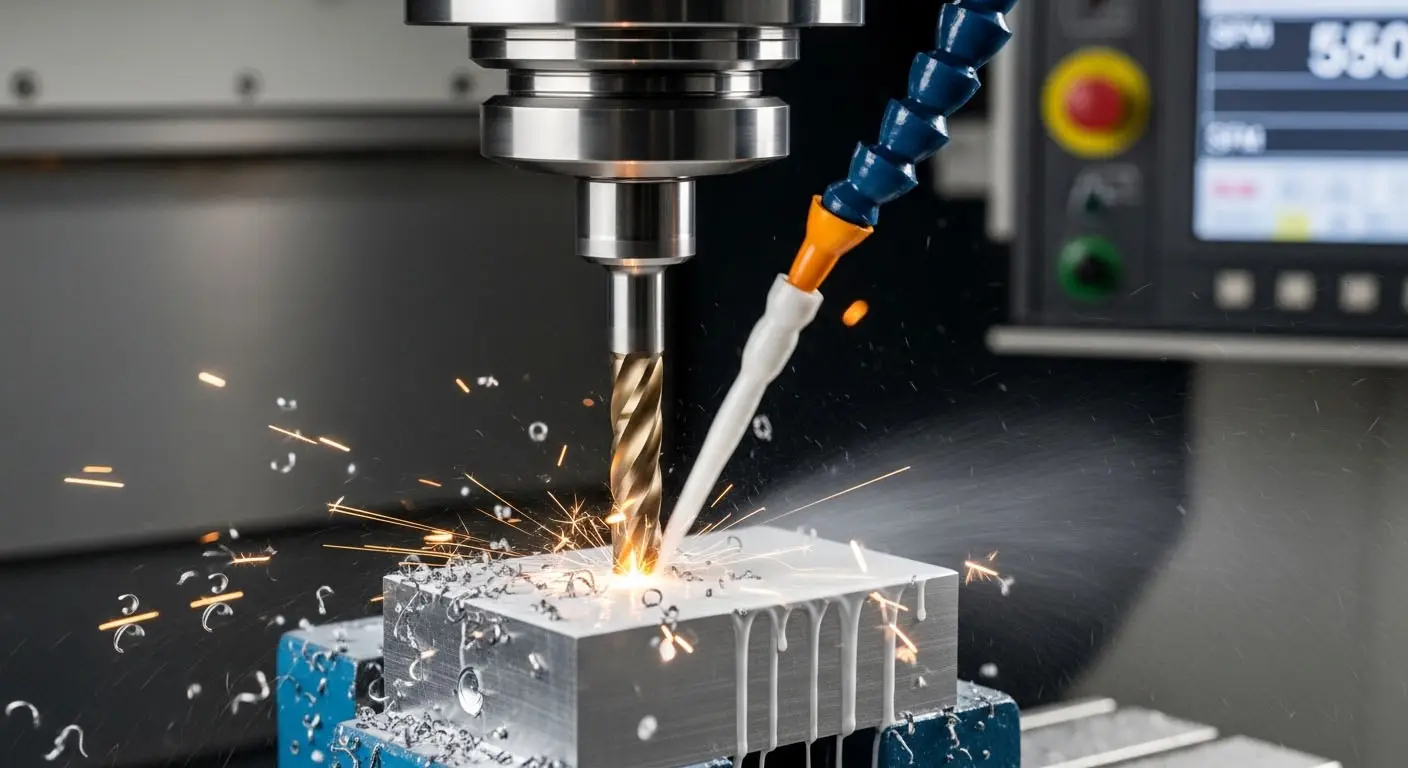
At SunOn, we treat SFM as a “first-order control knob” for reliable machining. Get SFM right and the whole process becomes easier to stabilize. Get it wrong and you’ll fight broken tools, poor finish, dimensional drift, or slow cycle times.
What Is SFM in Machining?
SFM (Surface Feet per Minute) measures surface speed in feet per minute. It connects directly to spindle speed (RPM) and diameter—because the tool edge travels farther per revolution when the diameter is larger.
Why it matters:
-
Too high SFM tends to raise heat and can accelerate tool edge wear.
-
Too low SFM can cause rubbing instead of cutting, which also creates heat and hurts finish.
SFM is not the same as RPM. RPM is how fast the spindle turns; SFM is how fast the cutting edge is moving across the surface.
The Relationship Between SFM and RPM
A standard formula used in machining (imperial) is:
SFM = (π × D(inches) × RPM) / 12
Where:
-
D = cutter diameter (milling) or workpiece diameter (turning), in inches
-
RPM = spindle speed
-
12 converts inches to feet
If you need RPM from a target SFM:
RPM = (SFM × 12) / (π × D)
Quick example (same as the 3ERP-style calculation)
If RPM = 2000 and D = 1.5 in:
SFM = 2000 × π × 1.5 / 12 ≈ 785.4 SFM
SFM vs Surface Speed vs Cutting Speed
In daily shop language, surface speed and cutting speed often refer to the same idea: how fast the tool edge travels at the cut. SFM is simply the surface speed expressed in feet per minute (imperial).
If your drawings or CAM settings use metric cutting speed, you may see it as m/min. That’s the same concept—just different units.
Units: SFM, FPM, and Metric Conversions
SFM is commonly used in the U.S. and is measured in ft/min (feet per minute). Many teams outside the U.S. use metric surface speed. 3ERP also notes conversion to metric surface units is common in global manufacturing.
A practical conversion:
-
1 ft/min = 0.3048 m/min (multiply SFM by 0.3048 to get m/min)
Why SFM Impacts Tool Life, Finish, and Cycle Time
SFM influences what matters most in a CNC job:
Tool life
Higher SFM generally increases heat at the cutting edge. More heat can soften coatings, dull edges faster, and shorten tool life—especially in harder alloys.
Surface finish
Correct SFM helps the tool cut cleanly rather than rub or chatter. That typically produces better finish and more stable edges.
Part quality and stability
Incorrect SFM can cause tool skipping, inconsistent chip formation, and workpiece deformation from heat—especially on thin walls or small features.
Productivity
The “right” SFM lets you remove material efficiently. Too conservative can slow production; too aggressive can cause tool failures and rework.
How to Choose a Starting SFM
There’s no single SFM that works for every job. Your best starting point depends on:
-
Material (aluminum vs steel vs stainless vs titanium)
-
Tool material (HSS vs carbide vs coated carbide)
-
Operation (roughing vs finishing)
-
Coolant strategy (dry, flood, MQL)
-
Machine rigidity and setup (tool stickout, workholding, vibration)
Many manufacturers provide recommended SFM ranges by material and tool type. In practice, a stable process uses those recommendations as a baseline, then fine-tunes based on chip color, sound, finish, tool wear pattern, and temperature.
Practical SFM Mistakes (and How to Avoid Them)
1) Using the wrong diameter
In milling, use the cutter diameter. In turning, use the workpiece diameter at the cut. If the diameter changes (stepped turning), SFM changes unless you use constant surface speed control.
2) Forgetting SFM rises with diameter
If you keep RPM constant and switch from a 6 mm tool to a 12 mm tool, surface speed doubles. That’s a fast path to premature wear.
3) Overcorrecting with RPM only
SFM interacts with feed rate and chip load. Adjusting RPM without thinking about feed can lead to rubbing or tool overload. For reference, feed rate is a separate parameter that defines how quickly the tool advances, commonly expressed as IPM or mm/min.
4) Running too slow “to be safe”
Too low SFM can still generate heat through rubbing and may degrade finish.
How SunOn Uses SFM in CNC Planning
When we plan CNC milling or turning, SFM is usually set early because it drives the rest of the cutting recipe:
-
Choose target SFM for the material and tool type
-
Convert to RPM based on diameter (or use constant surface speed on turning where appropriate)
-
Set feed based on chip load and tool engagement
-
Validate with a controlled first-article cut and adjust to balance tool life and finish
This is also why SFM shows up in broader CNC parameter discussions: it’s a core variable linked to cutting efficiency, tool wear, and surface finish.
Wrap-Up
SFM is a simple concept with big consequences: it’s the real cutting speed at the edge. It connects directly to RPM and diameter, and it strongly affects heat, finish, and tool life. If you can specify or understand SFM, you’ll communicate more clearly with your machining partner and reduce trial-and-error in production.
